Documentation Index
Fetch the complete documentation index at: https://docs.coffeerms.com/llms.txt
Use this file to discover all available pages before exploring further.
Job Board Workflow
Workflow Overview
The Job Board workflow allows candidates to discover open roles, submit applications securely using a public token, and automatically enter the CoffeeRMS hiring pipeline. All applications are mapped to campaigns and routed into Candidate Tracker for further evaluation.Detailed Workflow
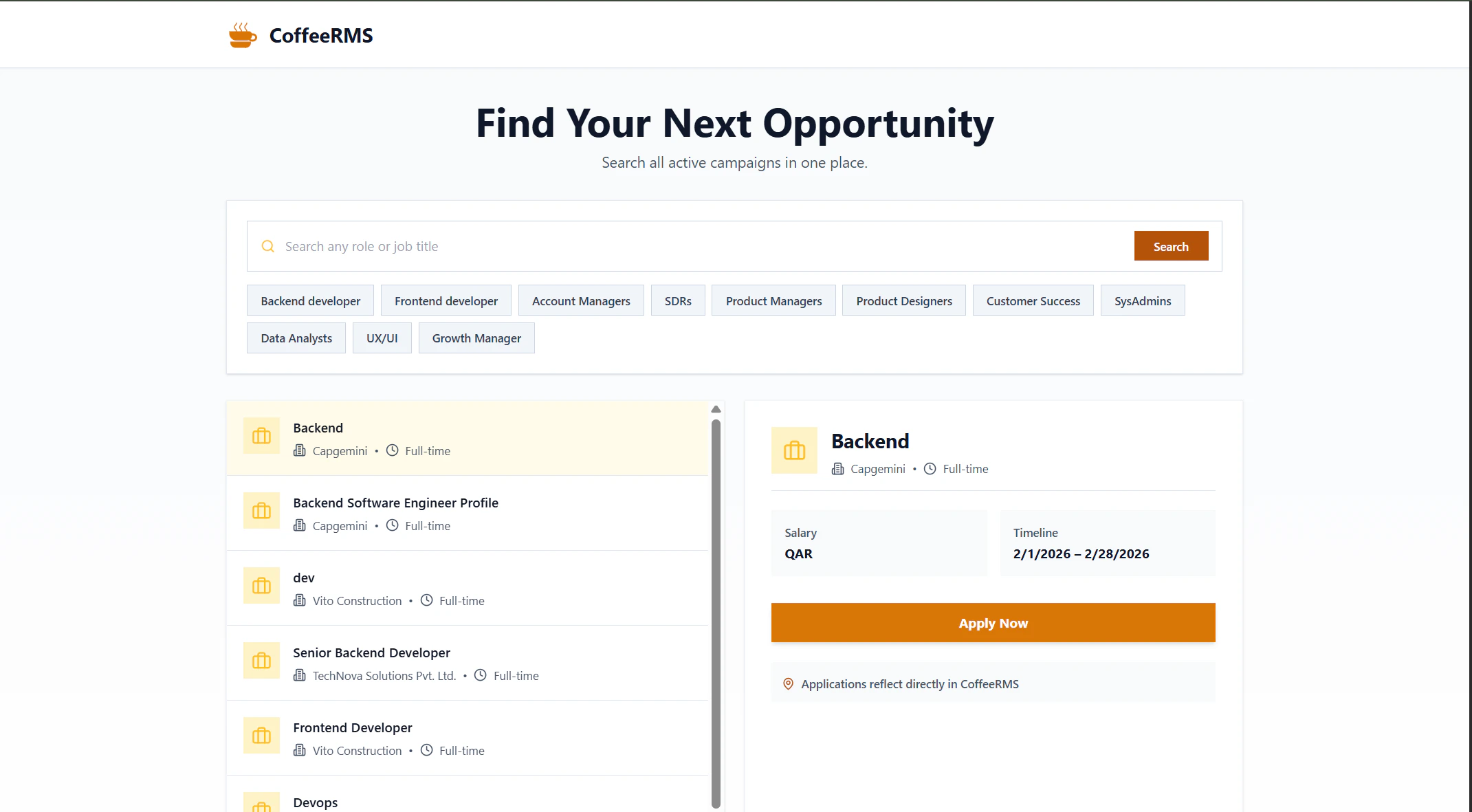
1. Job Discovery
- Candidate visits
/jobs - Sees all active recruitment campaigns
- Can search by:
- Role title
- Category
- Keywords
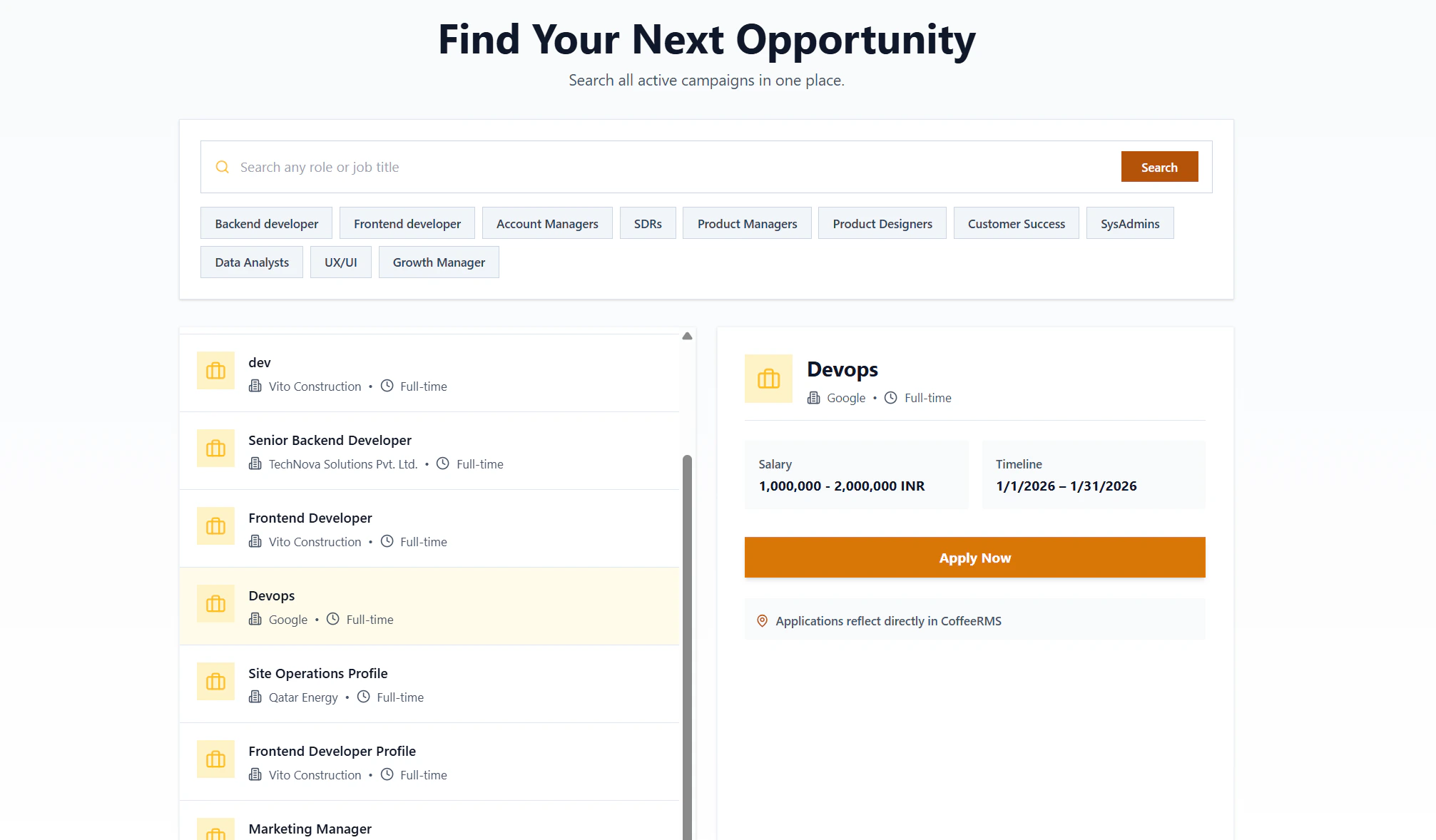
2. Job Selection
- Candidate clicks a job card
- Job details load using a publicApplyToken
- Application metadata is fetched:
- Job info
- Pre-screening questions
- Resume requirements
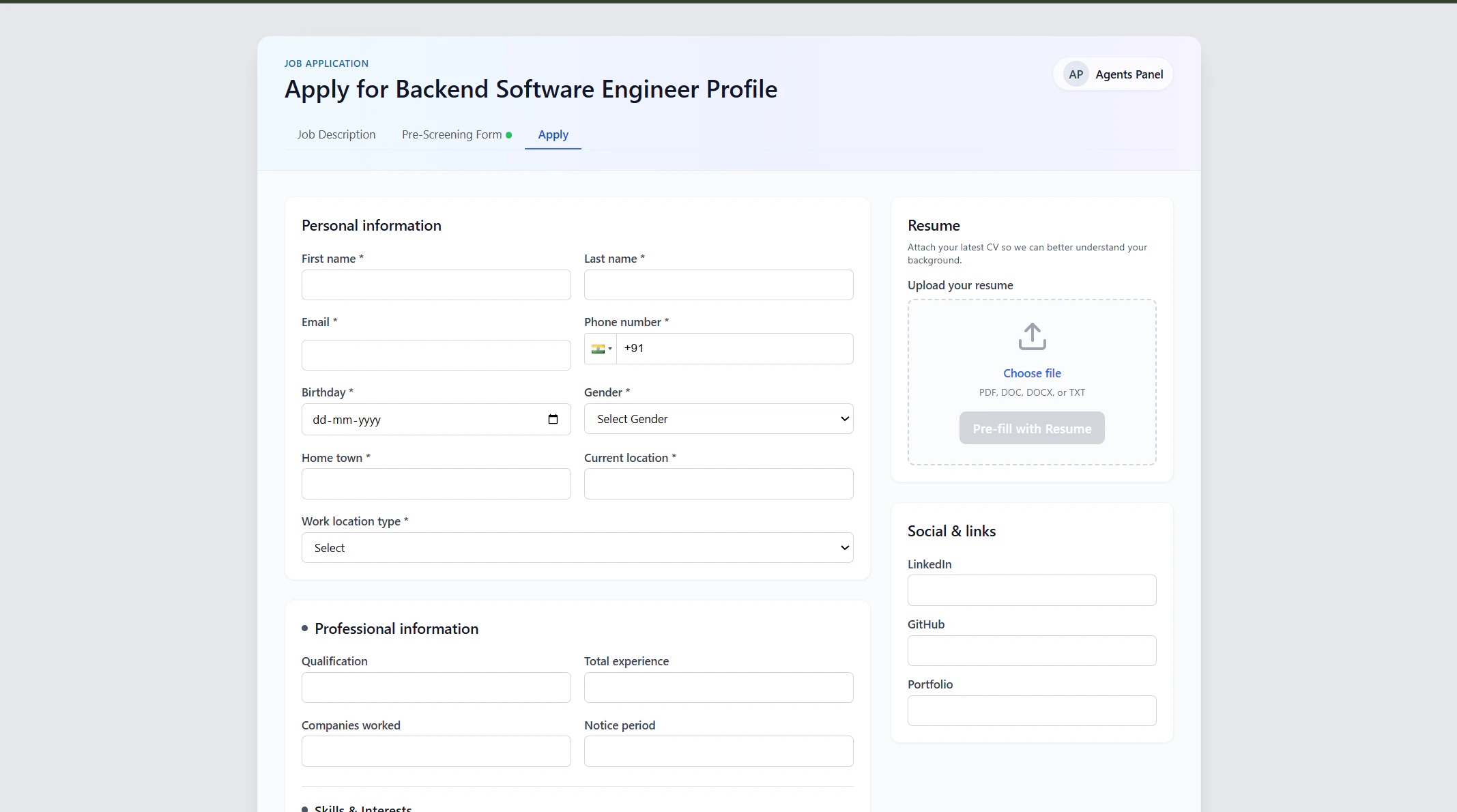
3. Application Preparation
- Candidate fills in:
- Personal details
- Professional details
- Optional:
- Resume upload
- Resume parsing to auto-fill form
- Optional email verification via OTP (if enabled)
4. Application Submission
- Candidate submits application
- System automatically:
- Creates Candidate Profile
- Links candidate to campaign
- Stores pre-screening responses
- Marks application as Submitted
5. Internal Pipeline Entry
- Candidate becomes visible in:
- Candidate Profile
- Candidate Tracker (under the campaign)
- Recruiters continue workflow:
- Screening
- Interviews
- Verification
- Hiring decision
Search & Discovery
- Keyword-based search on job title
- Category quick filters
- Pagination support
- Only Active campaigns are shown