
Documentation Index
Fetch the complete documentation index at: https://docs.coffeerms.com/llms.txt
Use this file to discover all available pages before exploring further.
Profile Articulation Workflow
Profile Articulation workflow defines how recruiters create, manage, and finalize candidate persona and sourcing strategies for each JD.Create Profile
- Click Create Profile
- Fill role, salary range, quantity to hire
- Choose target companies from Target Company Master
- Set status (Draft/Active) and priority
- Save → Profile appears in the list
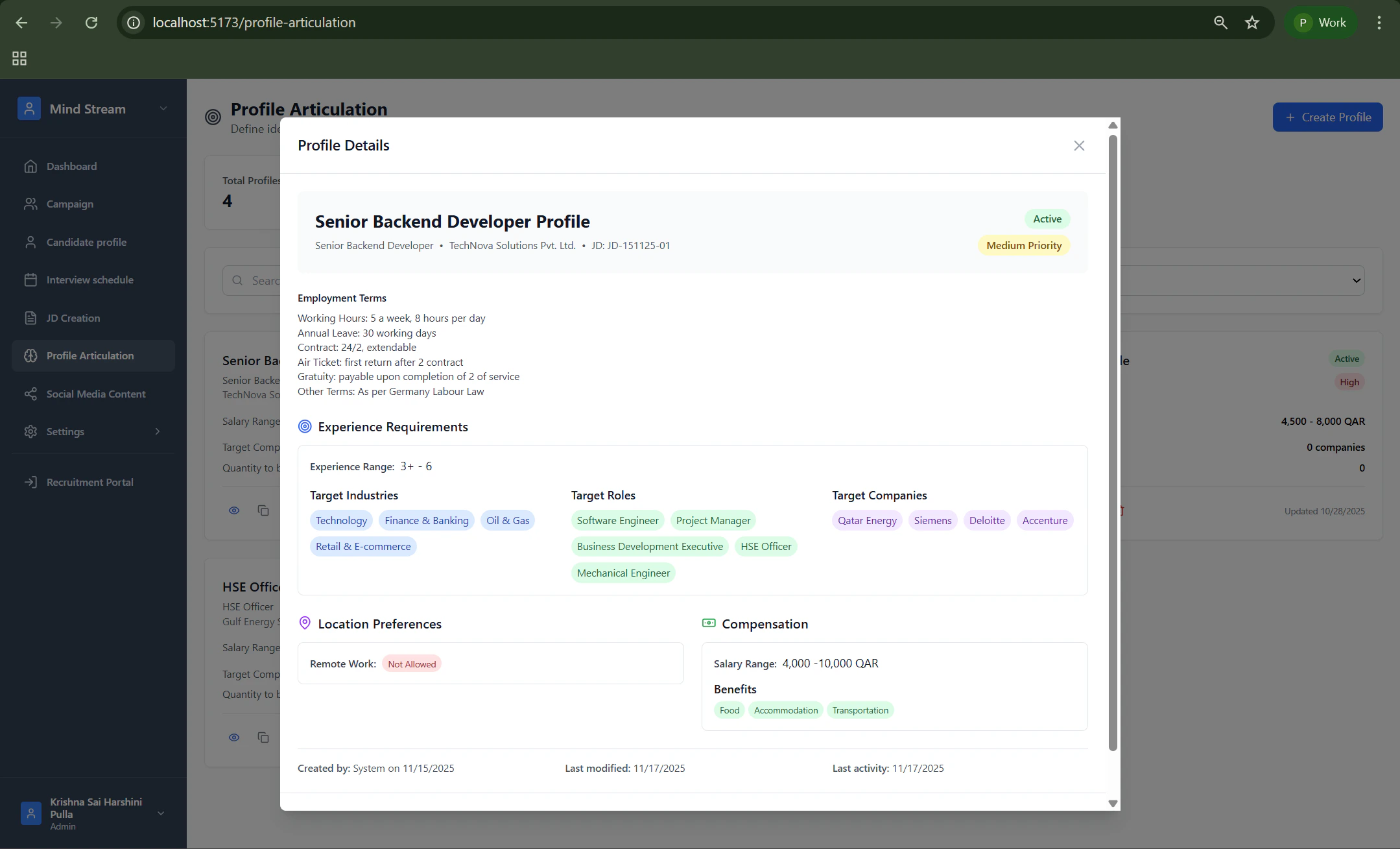
View Profile
- Click the View (eye) icon
- See complete details:
- Role
- Salary range
- Target companies
- Quantity to hire
- Priority & status
- Used for quick review before sourcing
Edit Profile
- Click Edit icon
- Update salary range, target companies, or hiring quantity
- Modify priority or status
- Save changes → updated immediately
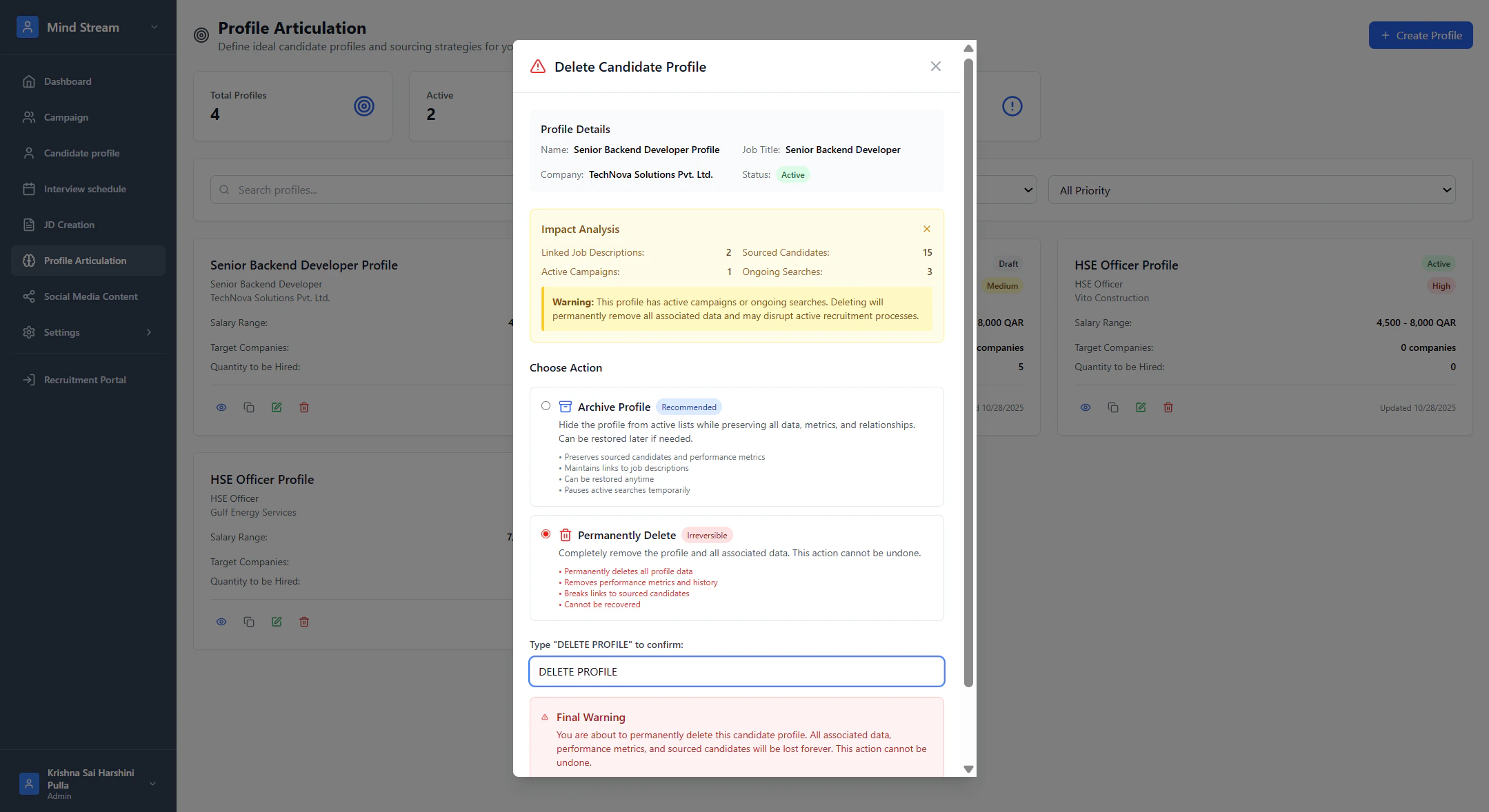
Delete Profile
- Click Delete icon
- Confirm deletion
- Profile is removed if allowed by permissions
Duplicate Profile
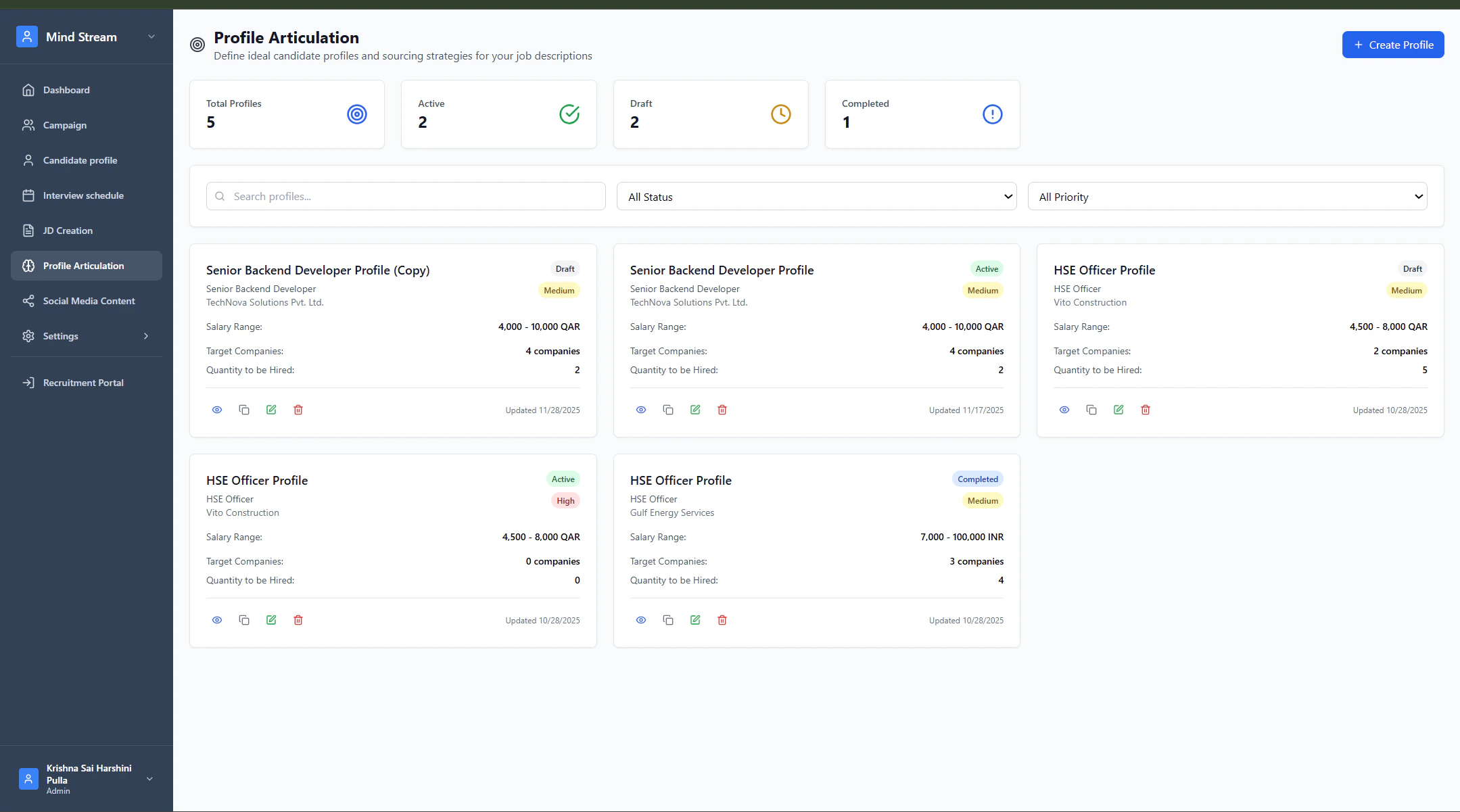
Duplicate is used to quickly copy an existing profile to reuse its structure for a similar role.- Click Duplicate (copy) icon
- A new profile is created with:
- Same role
- Same salary range
- Same target companies
- Same hiring quantity
- Status resets to Draft
- You can edit and customize before using
- Saves time when roles are similar
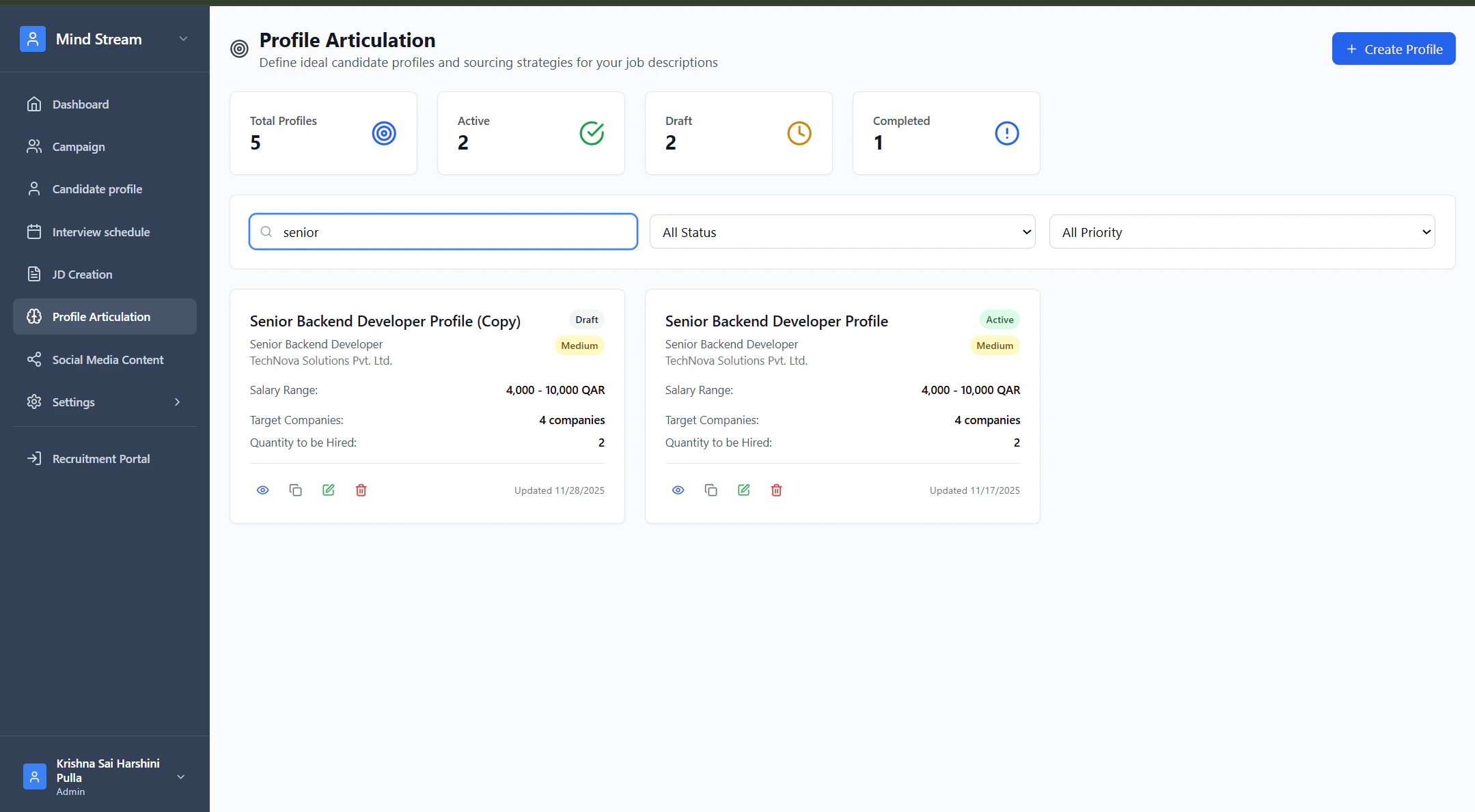
Search & Filter
Search supports:- Profile name
- Role
- Company
- Status (All, Draft, Active, Completed)
- Priority (High, Medium, Low)
Where It Is Used in the Application
- JD Creation → Profile pulls JD details
- Campaign Creation → Uses target companies from the profile
- Social Media Content → Generates content using profile data
- AI Interview Module → Loads profile + JD data for interview generation
- Dashboard → Shows Active, Draft, Completed counts
Summary
Profile Articulation converts a JD into a structured sourcing plan, defining:- Ideal candidate persona
- Salary benchmarks
- Target companies
- Hiring quantity
- Urgency (priority)