
Documentation Index
Fetch the complete documentation index at: https://docs.coffeerms.com/llms.txt
Use this file to discover all available pages before exploring further.
Category Management Workflow
This workflow shows how administrators create and manage Categories → Sub Categories, and how DDIM-AI is progressively applied at each level to support JD creation, candidate evaluation, and profile articulation in the RMS.Workflow Video
Workflow Overview
- Admin opens Category Management
- Creates or edits a Category
- Adds Sub Categories (role clusters)
- Adds questions to Sub Categories
- Defines DDIM knowledge and competencies
- Reviews the complete hierarchy
- Saves and uses it across RMS
Step 1: Create Category
- Click New Category
- Enter:
- Category Name
- Description
- Select Status
- Active
- Inactive
DDIM-AI Integration
At the Category level, DDIM defines:- Broad knowledge domains
- Applicable safety or technical standards
- Overall difficulty context (Basic → Intermediate → Expert)
Step 2: Add Sub Category
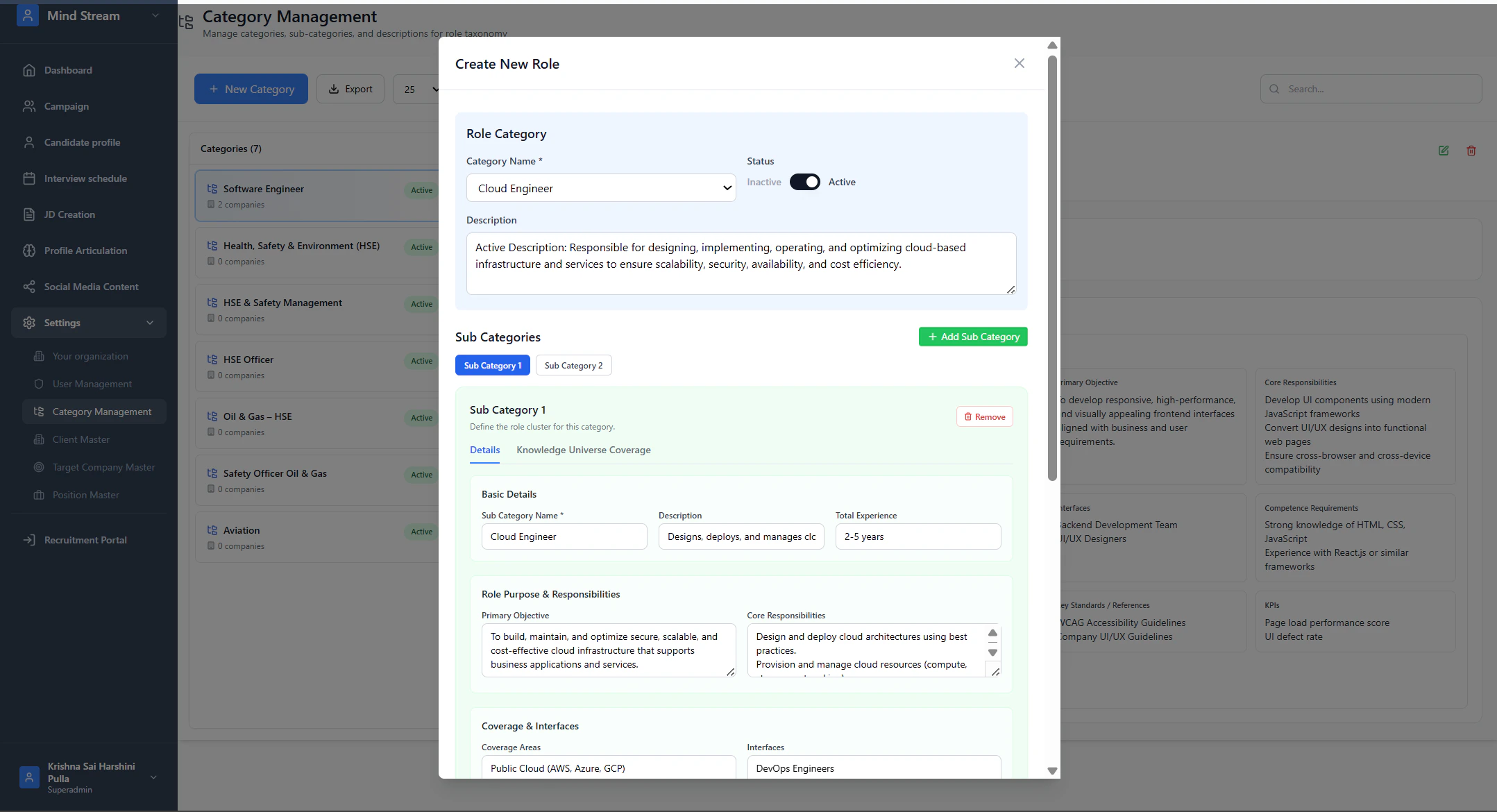
A Sub Category defines a role cluster and is the primary layer where DDIM intelligence is stored.- Inside a Category, click Add Sub Category
- Enter:
- Name
- Description
- Total Experience
- Click Save
DDIM-AI Integration
Each Sub Category may include:- Primary objective
- Core responsibilities
- Coverage areas
- Interfaces
- Competence requirements
- Certifications
- Key standards
- KPIs
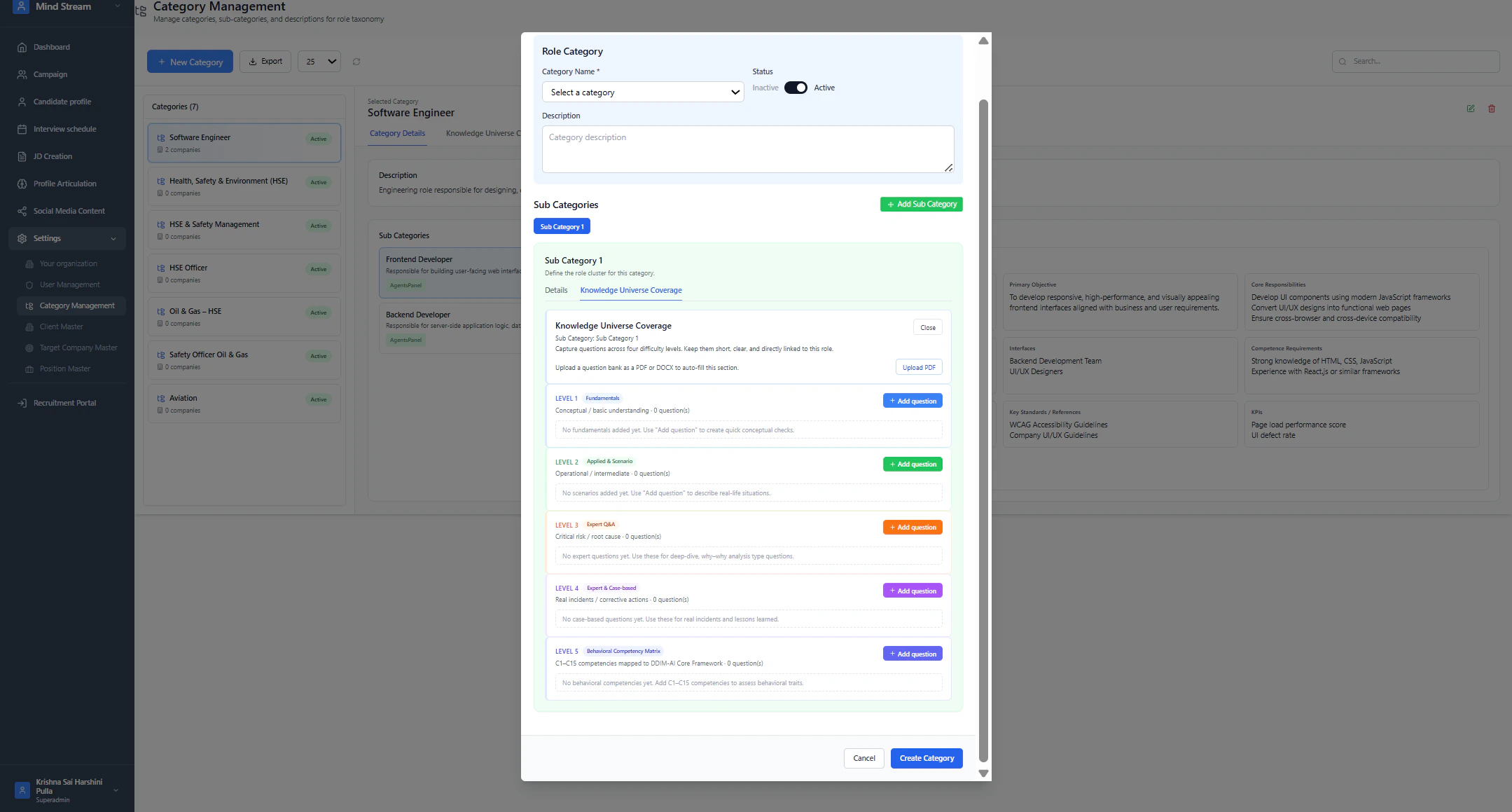
DDIM Knowledge Levels Supported
- Level 1: Fundamentals
- Level 2: Applied and Scenario Questions
- Level 3: Expert Diagnostic Questions
- Level 4: Case-Based and Incident Questions
- Level 5: Behavioral Competencies (C1–C15)
- JD auto-generation
- AI-based evaluation
- Interview preparation
- Competency scoring
Step 3: Add Questions to Sub Category
Each Sub Category supports adding DDIM questions, which are later used in:- JD creation
- Campaign Question Banks
- AI interviews
- Candidate evaluation
Supported Question Creation Methods
Questions can be added in three ways:1. Manual Question Entry
- Click Add Question
- Enter:
- Question
- Expected Answer
- Standard (optional)
- Save
2. Upload Questions via PDF / DOCX
- Click Upload PDF / DOCX
- Upload a document containing questions
- System extracts questions automatically
- Extracted questions are mapped to appropriate DDIM levels
3. Generate Questions Using AI
Admins can generate questions automatically using AI. Steps:- Click Generate with AI
- Select:
- DDIM Level(s)
- Question type
- Choose the number of questions
- Minimum: 1
- Maximum: 50
- Click Generate
- Review and save generated questions
- Category
- Sub Category
- DDIM knowledge structure
AI Question Generation Workflow Video
Step 4: Edit Category Structure
Admins can update:- Category name
- Description
- Status
- Sub Category details
- DDIM questions
- DDIM knowledge levels
- Behavioral competency matrix
- JD Creation
- Profile Articulation
- Campaign Question Banks
- AI Interviews
- Candidate Evaluation
Step 5: View Category
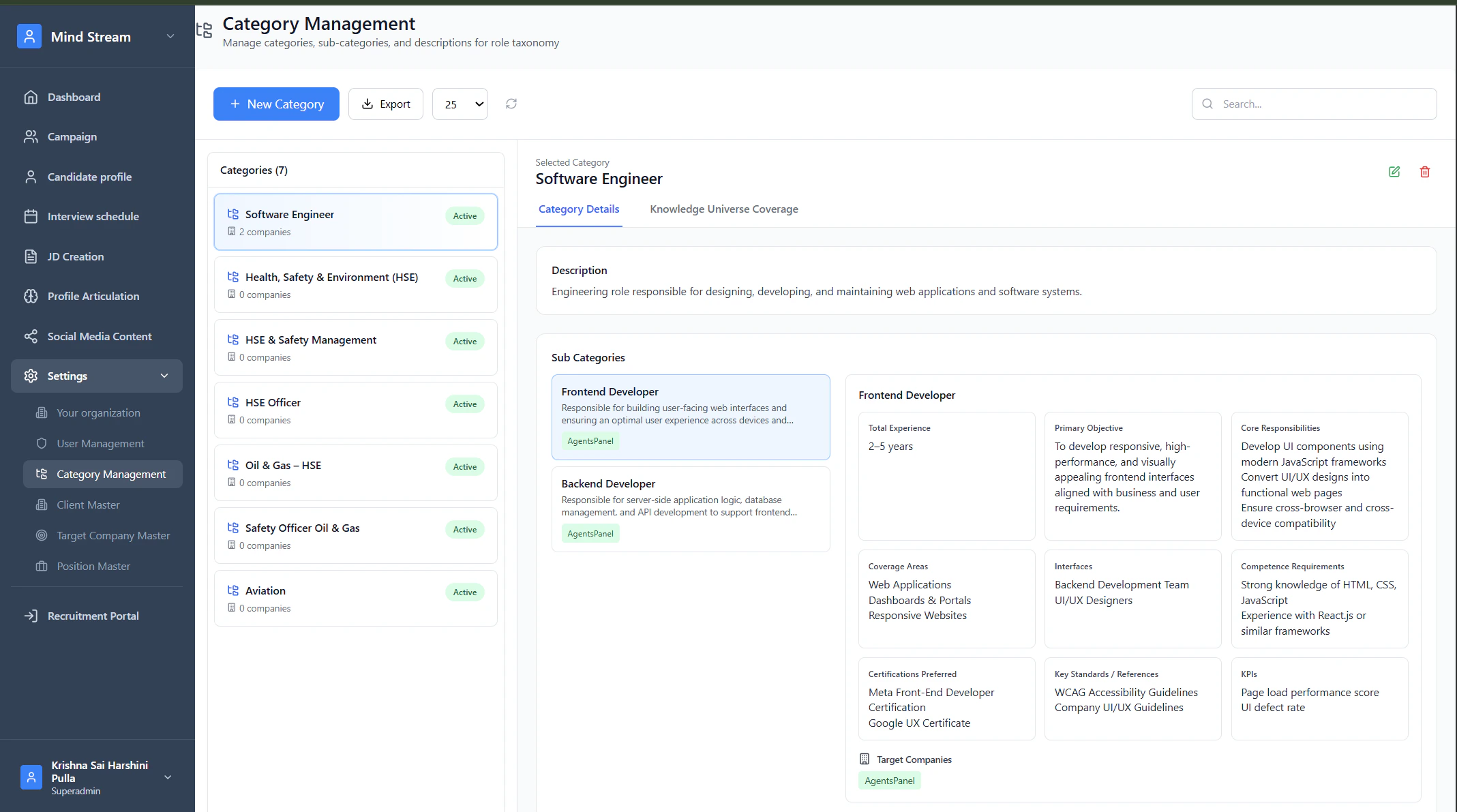
Viewing a category displays:- Complete hierarchy
- Sub Categories
- DDIM Knowledge Universe (Levels 1–5)
- Behavioral Competency Matrix (C1–C15)
- Standards, KPIs, responsibilities, competencies
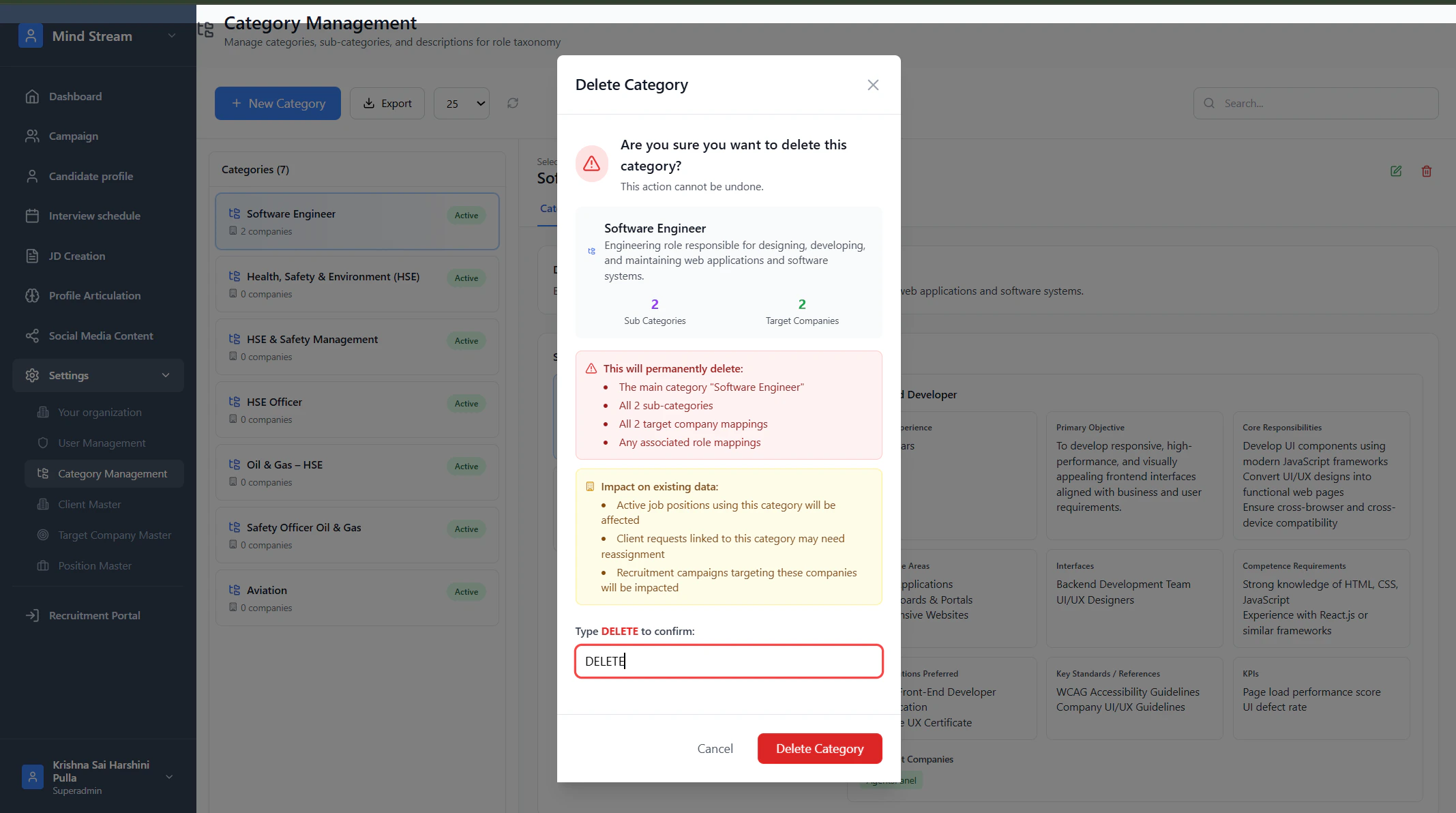
Step 6: Delete Category
- Click Delete
- Confirm deletion
DDIM-AI Integration Summary
DDIM is embedded directly into the Category workflow. As admins move from:- Category → Sub Category
- Structured knowledge (Levels 1–4)
- Behavioral competencies (Level 5)
- Standards, KPIs, and certifications
- Role objectives and responsibilities
- Manually added, imported, and AI-generated questions
Summary
Category Management is the foundation of RMS intelligence. Hierarchy:- Category → Role domain
- Sub Category → Role cluster enriched with DDIM knowledge
- Accurate JD creation
- Standardized interviews
- Consistent candidate evaluation
- AI-generated and curated question banks
- AI-driven role intelligence across the RMS